What is Devsy?
Devsy helps organizations scale their engineering operations with standardized, reproducible development environments. Each environment runs in its own container, defined by a devcontainer.json that lives alongside your source. Devsy providers provision those containers on a developer's machine, any reachable remote host, or in a public or private cloud — and you can extend Devsy with your own custom providers.
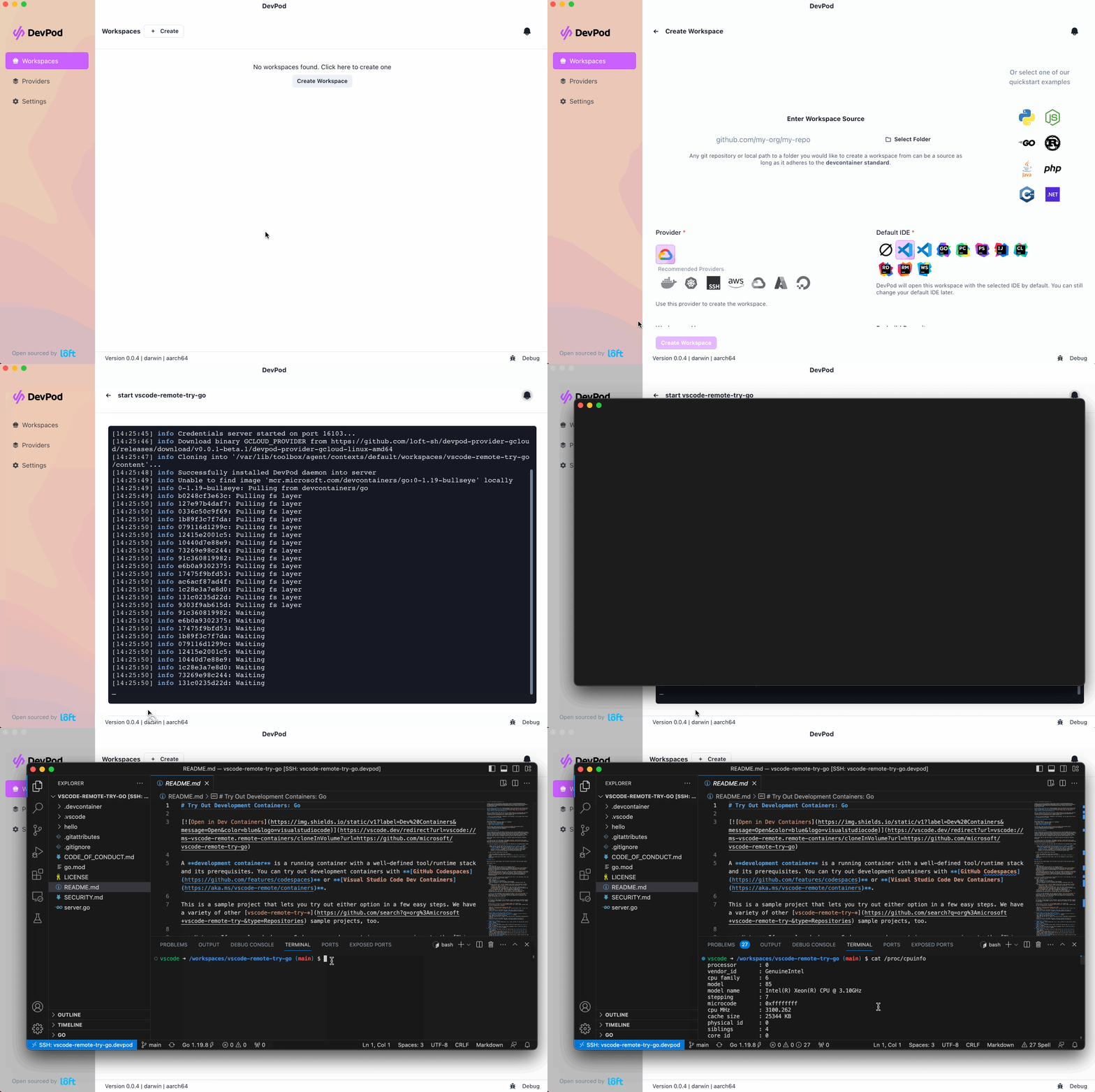
Devsy connects each developer's local IDE to the infrastructure where work actually runs. The same workspace can live on a laptop, a powerful cloud machine, or a shared remote host, and every workspace is created and managed the same way. That consistency is what lets a team standardize on one environment definition and move between backends without re-learning their tooling.
Why Devsy?
Devsy implements the open DevContainer standard, so the environment definition your team commits remains portable across every backend Devsy supports.
For engineering organizations, Devsy delivers:
- Standardized environments: Define a workspace once in
devcontainer.jsonand give every engineer the same toolchain, dependencies, and configuration. New hires are productive on day one instead of spending days on setup. - Cost efficiency at scale: Run workspaces on the infrastructure you already pay for, and let Devsy automatically shut down idle machines so you only spend on capacity that's in use.
- No vendor lock-in: Choose the infrastructure that fits each team — local, cloud, Kubernetes, or remote SSH hosts. Switch a workspace's provider with a single command, with no rewrite of your environment definition.
- Flexible development: Engineers get the same experience locally and remotely, from quick prototyping on a laptop to heavy builds on a cloud machine.
- Cross-IDE support: VS Code and its variants and the full JetBrains suite are supported out of the box; any other editor can connect over SSH.
- Extensible: Devsy is open source and extensible. If a provider doesn't exist for your platform, you can build one.
- Rich feature set: Prebuilds, inactivity-based shutdown, and Git and Docker credential sync are built in, with more capabilities on the way.
- Desktop app and CLI: The desktop application gives engineers a guided way to manage workspaces, while the CLI drives automation and platform integration across your organization.